
Start with a clinical topic
Choose the subjects you want to revisit and build a focused SBA session. Saved sessions let you return to unfinished work.
FlyteX ? FRCEM question bank
Bring question practice, detailed explanations and topic-level insights together. Choose a focused drill, work through a timed mock, and use the review to plan your next session.
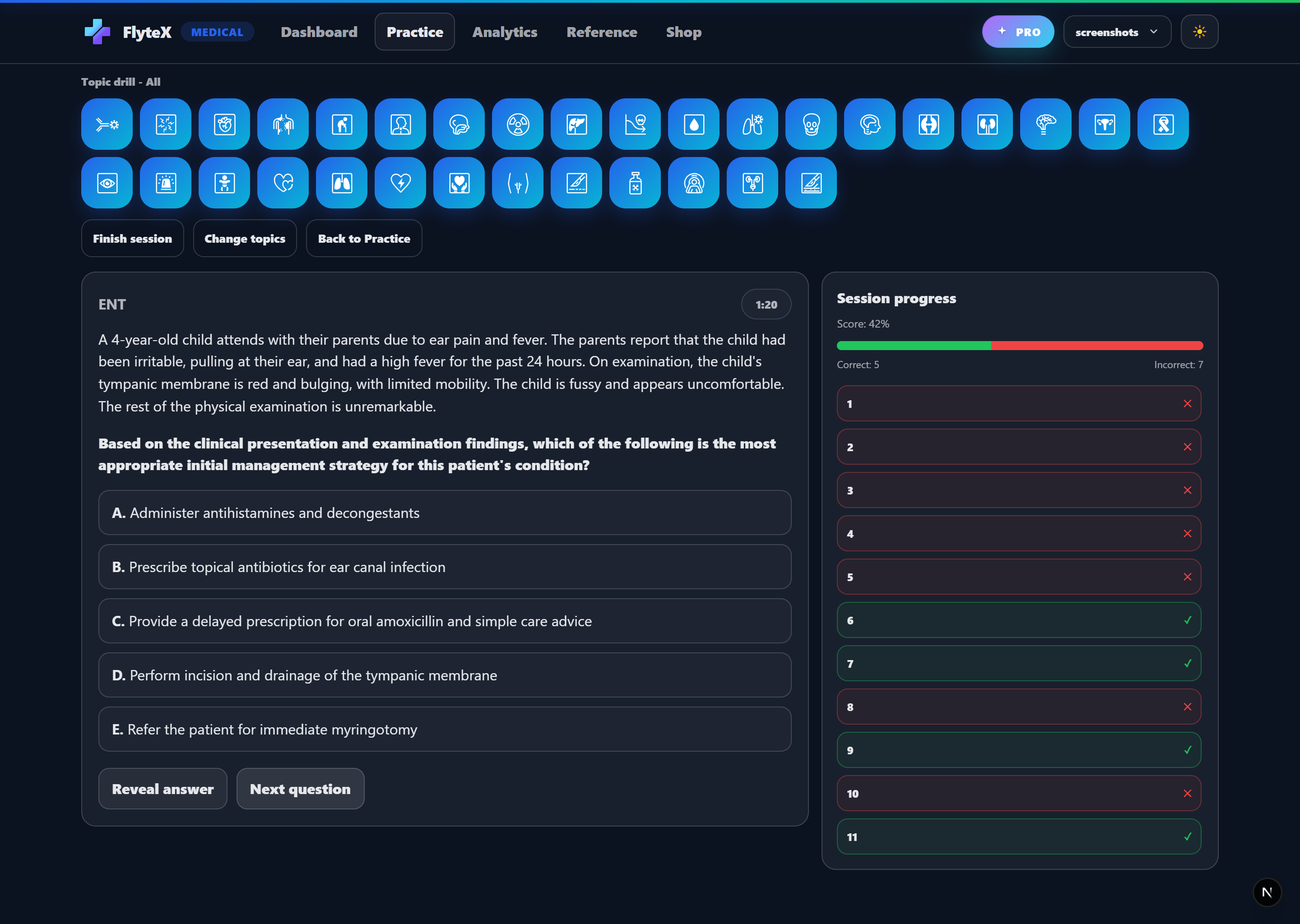
A useful FRCEM question bank helps you do something with every answer. After a difficult question, you need to understand the reasoning, revisit the underlying topic and decide whether to practise it again.
FlyteX connects those steps. Start with a clinical subject, work through a question set and review the explanations. Use the reference library for a closer look, then return to your topic performance when choosing what to work on next.
Use a repeatable workflow that fits around the time you have for revision.
Choose the subjects you want to revisit and build a focused SBA session. Saved sessions let you return to unfinished work.
Read structured explanations of the correct option and alternatives. Follow the topic into clinical reference material when you need more context.
Review accuracy by topic, identify weaker areas and choose another drill or a broader mock to continue your preparation.
Use one subject as the thread through a question session and its review. For example, if respiratory questions need more attention, keep the next session focused enough that you can revisit the explanations afterwards.
Review your topic results and select the clinical subject you want to revisit. Start a topic drill, or resume a saved set when you already have questions in progress.
Compare the explanation with the answer you chose. Follow the topic into the reference library when a distinction or underlying concept needs more attention.
Use the review to choose the next question set. Topic accuracy can guide that choice; your notes from a difficult answer can give the session a more specific purpose.
Explore the screens below to see how practice, review and your next session connect. Select a screenshot for a closer look.
Work through a topic drill with session progress and explanations after each answer.
Revisit a completed session and work through the explanations for the answers you found difficult.
Use topic-level performance to decide where another focused session would be useful.
From written revision to station rehearsal
When you move into FRCEM OSCE preparation, the task includes gathering information, explaining decisions and responding to another person. Use the Academy to prepare that approach before a rehearsal. A respiratory history session is one example of how the teaching and practice material connect.
Open Respiratory medicine to find its lessons, practical frameworks and related stations. Read the history lesson before the session, or return to it afterwards when the rehearsal raises a question.
Open the candidate brief while your colleague prepares the actor instructions on another screen. Read the task, set the practice timer and work through the encounter using the information available to each role.
Ask the observer for specific examples of what happened. Compare the attempt with the guidance, then log the rehearsal and one point to revisit in My Academy before you repeat the station.
The respiratory subject hub brings the preparation material together. Use the linked journey to choose the lesson, framework and candidate station for a planned session.
The candidate view shows the task and rehearsal controls. Partner instructions are opened separately so the candidate can respond to information as the encounter develops.
Create an account to explore FlyteX. Compare access options when you are ready for the full SBA tools, reference library and FRCEM OSCE Academy.